Booking engine
The guest booking flow
Here's exactly what a guest experiences booking you directly — from searching dates to the “You're booked!” confirmation. Knowing the flow helps you support guests and check your own site looks right.
1 · Search
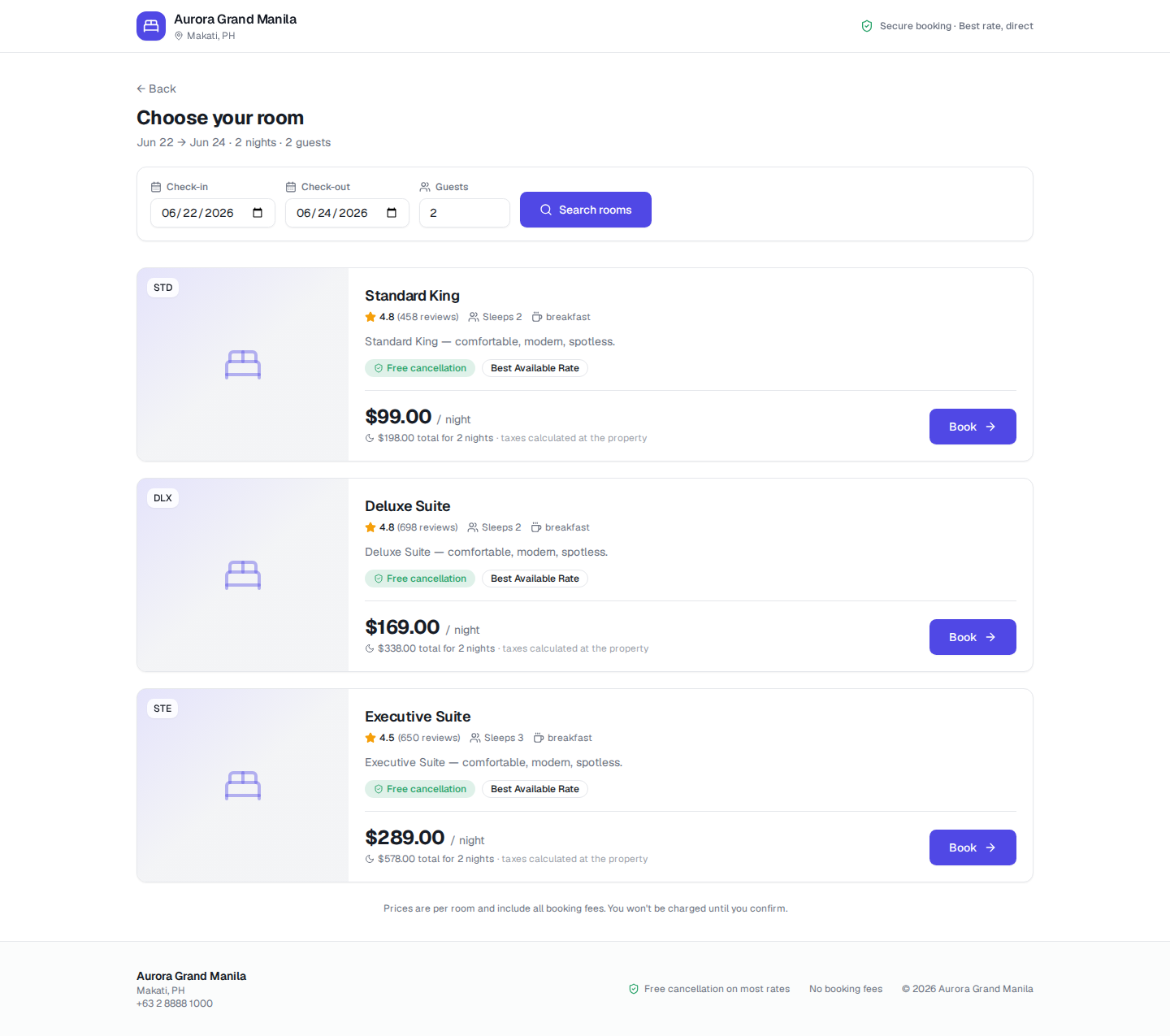
- 1Enter dates and guests. The guest picks a check-in date, check-out date and number of guests on your booking site.
- 2Click “Search rooms”. Aurora looks up live availability and pricing for those exact dates.
2 · Results
- 1Review the available rooms. Each room shows its name, a short description, what's included, the nightly price and the total for the stay.
- 2Choose a room. The guest clicks Book on the room they want.
3 · Checkout
- 1Enter guest details. The guest fills in their name and email to hold the room.
- 2Review the price. The total is shown up front with no surprise booking fees.
- 3Confirm the booking. The guest submits and Aurora creates the reservation.
4 · Confirmation
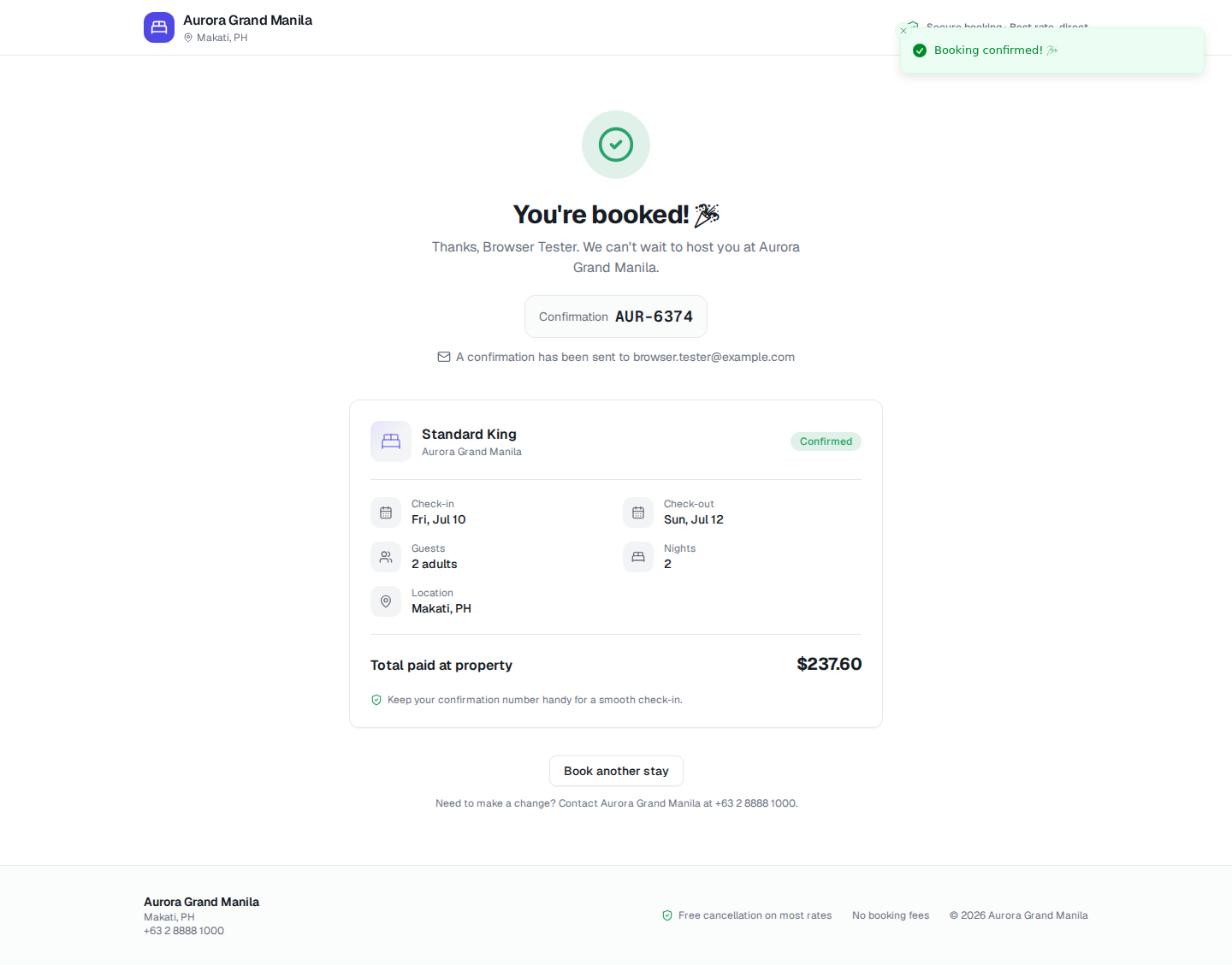
- 1See the success screen. A “You're booked!” page appears with the room, dates, nights, guests and total.
- 2Note the confirmation number. A reference like
AUR-6374is shown and emailed to the guest.
Expected result
The guest reaches a confirmation screen with a booking reference and a confirmation email, and the reservation appears instantly in your Aurora Reservations list and on the calendar.