Room status board
The room board is your live floor plan. Every room shows its housekeeping status at a glance — and a guest's name when it's occupied — so the front desk and housekeeping always agree on what's ready.
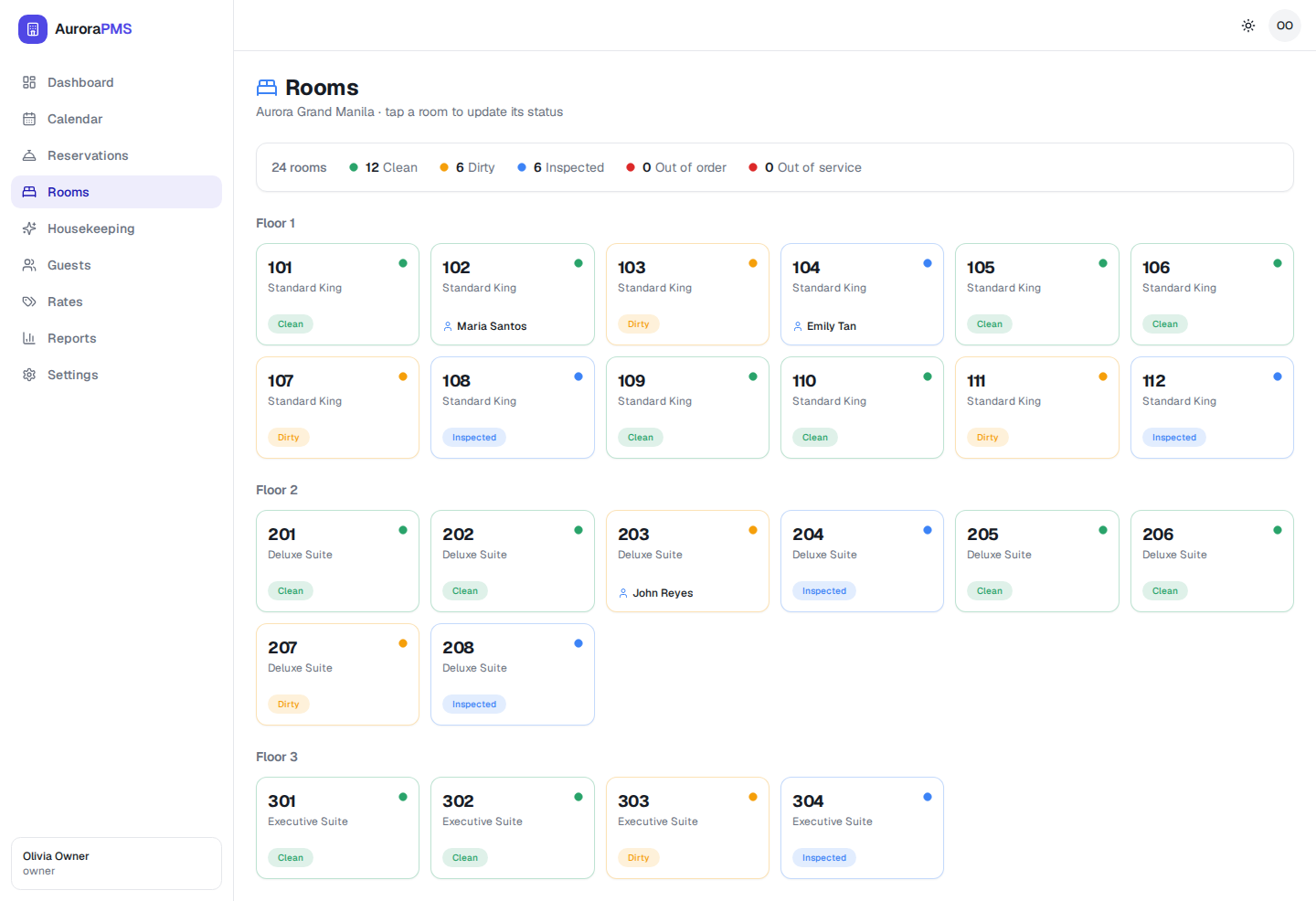
The statuses
- Clean — serviced and ready to sell.
- Dirty — needs cleaning (set automatically at check-out).
- Inspected — cleaned and quality-checked.
- Out of order (OOO) — unavailable to sell, e.g. for maintenance.
The summary bar at the top counts how many rooms are in each status across the whole property.
Change a room's status
- 1
Open Rooms from the sidebar and find the room (rooms are grouped by floor).
- 2
Tap the room card — the page header reminds you, "tap a room to update its status".
- 3
Pick the new status (for example, mark a room Clean or flag it Out of order).
Expected result
The card's dot and pill update immediately and the summary counts adjust. Clean rooms are available to assign at check-in; rooms set out of order won't be offered.
How it connects
Checking a guest out flips their room to Dirty automatically, so it appears on the housekeeping board. As attendants mark rooms clean (and inspected, if you use inspection), they turn green here and are ready for the next arrival.