Distribution
The built-in channel manager
Aurora includes a channel manager built right in, so the rooms, rates and availability you manage here stay matched on the online travel agencies (OTAs) you sell through — no separate tool, no double entry.
What it does
The channel manager is the bridge between Aurora and your booking channels. You manage everything in one place, and Aurora distributes it outward and pulls bookings back in.
- 📤 Pushes rates & availability to channels like Booking.com, Airbnb and Expedia automatically.
- 📥 Pulls bookings back into your reservations and calendar, with no re-typing.
- 🔁 Stays in real-time sync so the same room is never sold twice across channels.
- 🏷️ Maps your room types and rate plans to the matching listings on each channel.
Push rates and availability to OTAs
Most of the time you do nothing special: any change you make to a rate or to availability is sent to your connected channels automatically. When you want to force an immediate refresh, use the sync action.
- 1Make your changes. Edit rates or availability on the Rates screen as usual.
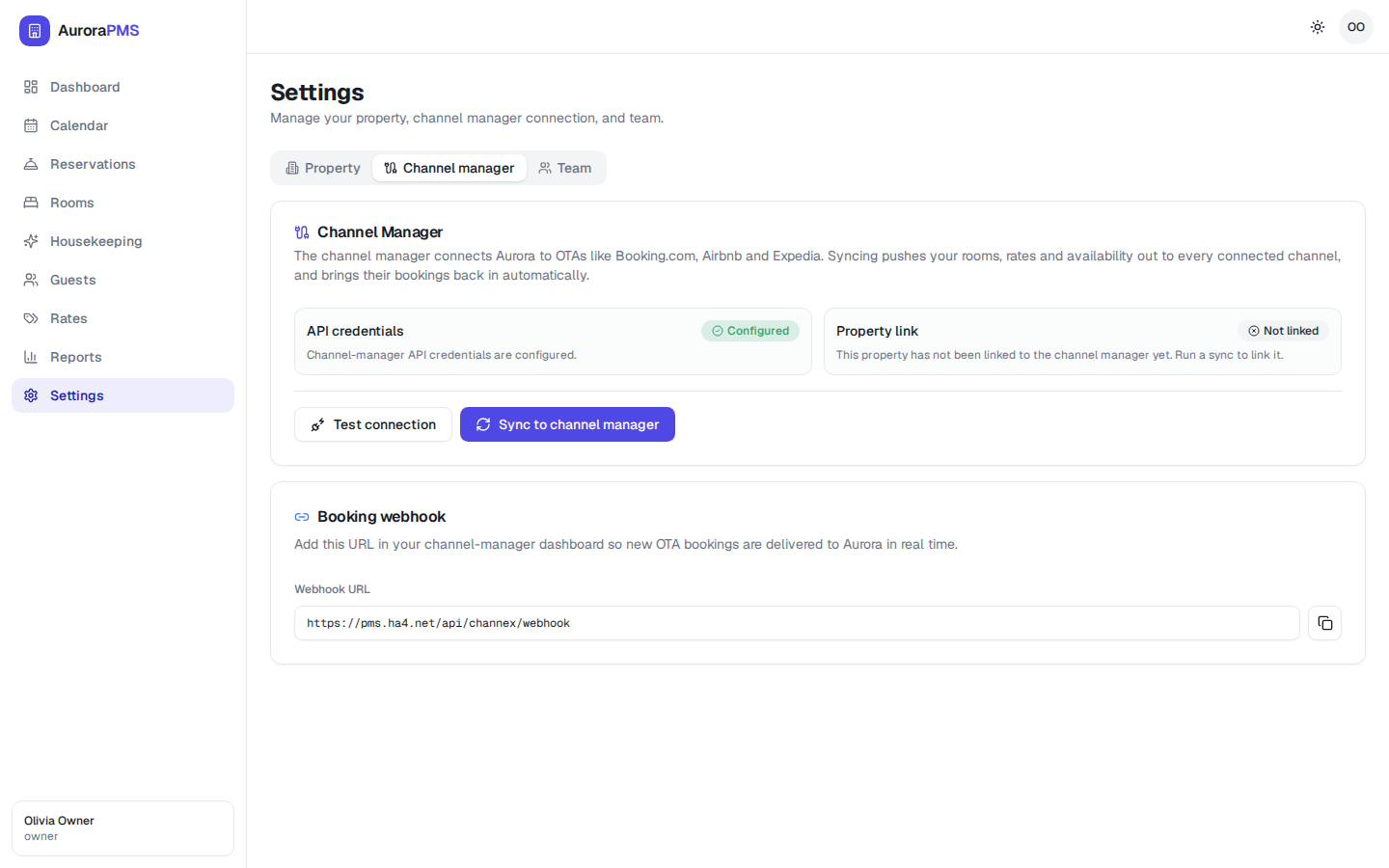
- 2Open Settings → Channel manager. Go to Settings and select the Channel manager tab.
- 3Click “Sync to channel manager”. This pushes your current rates and availability out to every connected channel right away.
- 4Watch the status update. The connection shows when it last synced, so you know your channels are current.
Check the connection status
- 1Open Settings. Click Settings in the sidebar.
- 2Select the Channel manager tab. It shows whether the connection is active and when rates and availability last synced.
- 3Confirm it is connected. A healthy connection means your changes are flowing to your OTAs; if it shows an issue, reconnect and sync again.
Because the channel manager is built in, Aurora is always the master of your inventory. Change a price or close a date here once, and every channel follows.
Your latest rates and availability are live on every connected OTA within moments, and the Channel manager tab confirms the connection is active and recently synced.