Housekeeping (mobile)
Housekeeping is built for a phone. Your room attendants open one board, see exactly which rooms need attention, and mark each one clean or inspected with a single tap — no desktop, no paper sheets.
[email protected] demo account is a good way to preview it).
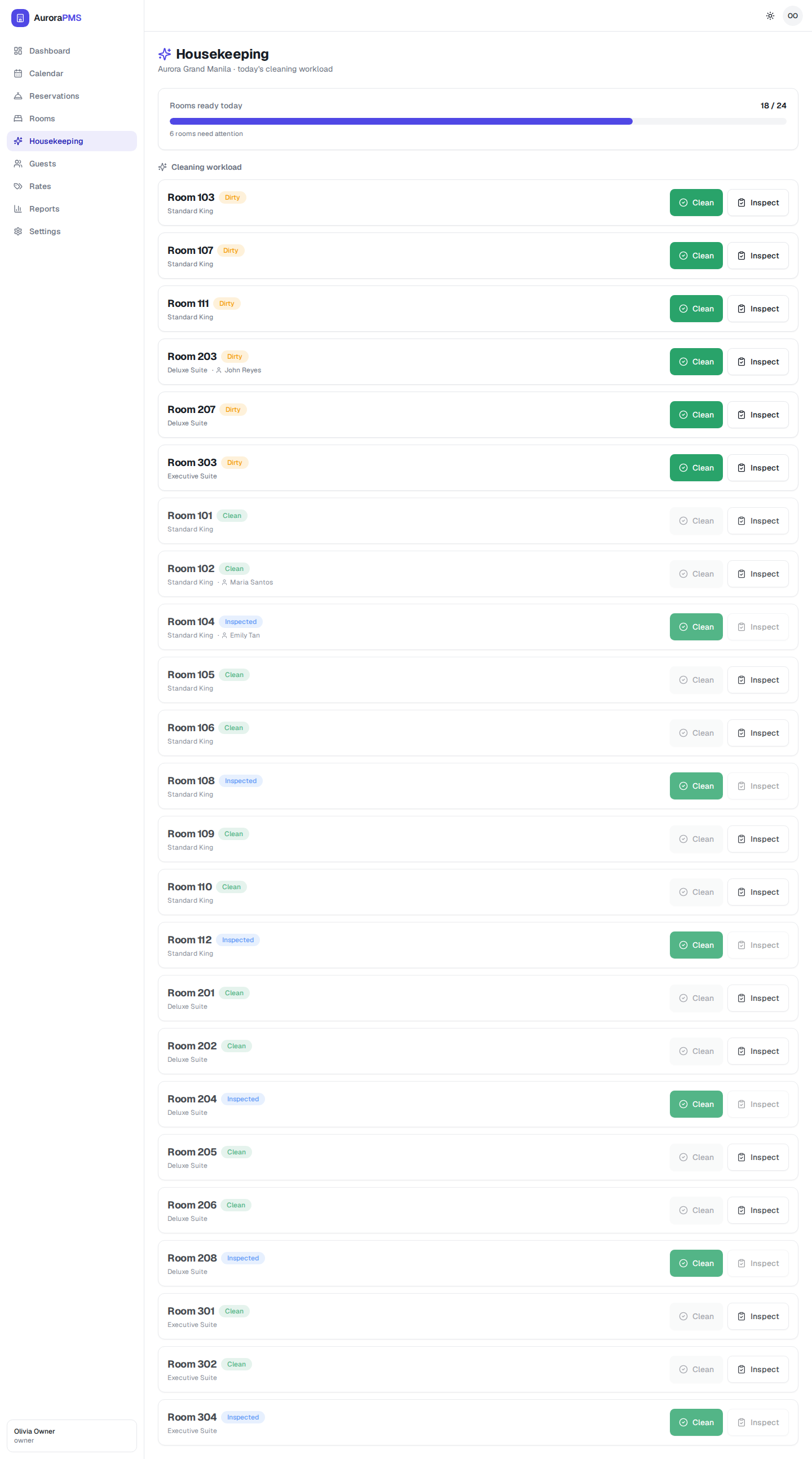

"Rooms ready today"
The progress bar at the top shows how many rooms are ready out of the total (for example, 18 / 24), with a note of how many still need attention. It's the one number that tells a housekeeping lead whether the property is on track for the day. Rooms that need cleaning are listed first.
Mark a room clean
- 1
Open Housekeeping (tap the menu button on a phone to reach it).
- 2
Find the room — dirty rooms sit at the top of the list, each showing its number, type and any in-house guest.
- 3
Tap the green Clean button when the room is serviced.
Inspect a room
- 1
When a supervisor has checked a cleaned room, tap Inspect on its card.
- 2
The room is marked Inspected — your highest "ready" state for selling and assigning.
Expected result
Each tap updates the room instantly, the "rooms ready today" progress bar climbs, and the change shows on the front desk's room status board — so reception always knows what's ready for the next arrival.